In 2021, we made lots of useful enhancements in all ONLYOFFICE solutions.
New productivity features in ONLYOFFICE Docs:
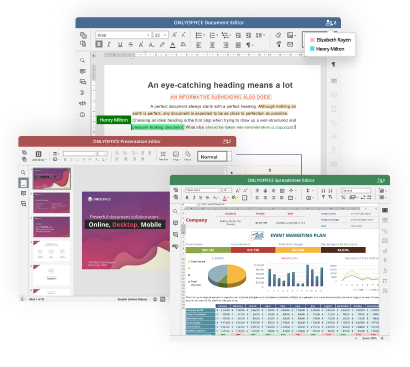
- In documents: Table of figures, Text to table/Table to text conversion, support of XML, HTML, EPUB, FB2, automatic capitalization of first letters in sentences.
- In spreadsheets: Conditional Formatting, data validation, slicers, custom number formats, data import from CSV and TXT.
- In presentations: transparency settings, hiding notes panel.
- In all editors: enhanced spell-checking, hints for writing macros, adding files to Favorites.
New plugins
- Grammalecte and LanguageTool to check spelling and grammar.
- DeepL and Apertium to translate texts.
- Telegram to chat without leaving the editors.
- HTML to work with content for web pages.
- Word Counter to calculate characters, words, and paragraphs.
More efficient collaboration
- Smooth comments management: you can resolve and delete all comments in an abstract or the entire document.
- Version history for presentations to restore previous versions of slideshows.
- Names for anonymous users: guests can introduce themselves in a document.
New security features:
- Password protection for documents online and in the desktop app.
- Digital signatures to protect data integrity in transit.
Integrations
- Support for WOPI protocol.
- New connectors for Jira, Redmine, FileCloud, OpenKM, Mattermost, Moodle.
- Multiple enhancements for the existing integrations, including Nextcloud, ownCloud, Confluence, Chamilo, Alfresco, etc.
What else, ONLYOFFICE got Gold in the Cloud Computing Insider Awards 2021 in the category File Sharing & Collaboration.
ONLYOFFICE 7.0
On 18 January 2022, we released a big update — ONLYOFFICE 7.0.
OFORMs: Create, collaborate on and fill online forms to create documents from templates. Forms can be exported in fillable PDF and DOCX.
New useful features
- Password protection for spreadsheet files and separate sheets;
- Query tables (correct opening and saving);
- Hyperlink autocorrection - now also in documents and presentations;
- Mail Merge from local files and URLs;
- Transitions tab in presentations;
- Viewing animations in presentations;
- Presentation export to PNG and JPG.
Collaboration
- Version History in spreadsheets;
- Comment sorting;
- Two display modes for reviewing tracked changes: balloons and tooltips;
- Ability to see other users’ selection in spreadsheets.
Usability & accessibility
- Full dark mode with dark canvas and contrasting content in text documents;
- Keyboard shortcuts with hints;
- Up to 500% zoom.
Pro features now available in the free community version
- Content Controls;
- Document Comparison;
- Sheet Views.
Useful links
Contact us to discuss any questions
Our social media channels